
Help us test Valvur. The honest way
Thanks so much for agreeing to help. This page walks you through everything, step by step. Your progress is saved on this device — feel free to come back anytime.
More than twenty years ago, video games changed my life.
For a lot of adults, games are just entertainment. For me, they were the place where I first felt genuinely confident in myself — where I learned to set goals, work as part of a team, and believe in my own abilities. The gaming world is where I found my people, discovered opportunities to grow, and eventually built my career. I wrote about that journey in my book Esports: Insider Tips on Succeeding in the Industry that is Shaping the Future of Entertainment.
But over the years, I've also seen the other side of the digital world.
Technology can open doors, bring people together, and help kids thrive. But those same technologies can be used to manipulate, deceive, pressure, addict, and exploit human vulnerabilities.
That's why Valvur was born.
We're not building it to monitor children or to restrict technology. We're building it to help families feel more confident in the digital world — to teach kids to make safer choices, and to give parents a tool for understanding, not surveillance.
I genuinely believe the future belongs not to those who ban technology, but to those who learn to use it with intention.
Thank you for helping us build that future together.

We want to see Valvur through your eyes
We're trying to get a feel for how the product comes across in real life — whether it's clear what to do, whether it feels trustworthy, whether it actually seems useful, and where things get confusing or feel off.
Three things that make your feedback golden
Go in blind
Don't read up on Valvur beforehand, don't ask us how things are supposed to work, and don't try to guess what we were going for. Just open it, tap wherever feels natural, and move through it the way you normally would.
If you get confused — that's on us, not you
If something doesn't make sense, it means we need to do a better job explaining things, or rethink a screen, a line of text, or a user flow. Confusion is exactly the data we need.
Be honest, not nice
We know you know us personally, so it might feel awkward to be critical. But right now, honest feedback does us way more good than encouragement. If something isn't working, feels unclear, is annoying, seems unnecessary, or just doesn't feel trustworthy — just say so. That's not a knock on the team, it's helping the product get better.
Sign up
Open either side of the product — or both, if you're curious:


You'll need to sign in using one of these to get started.
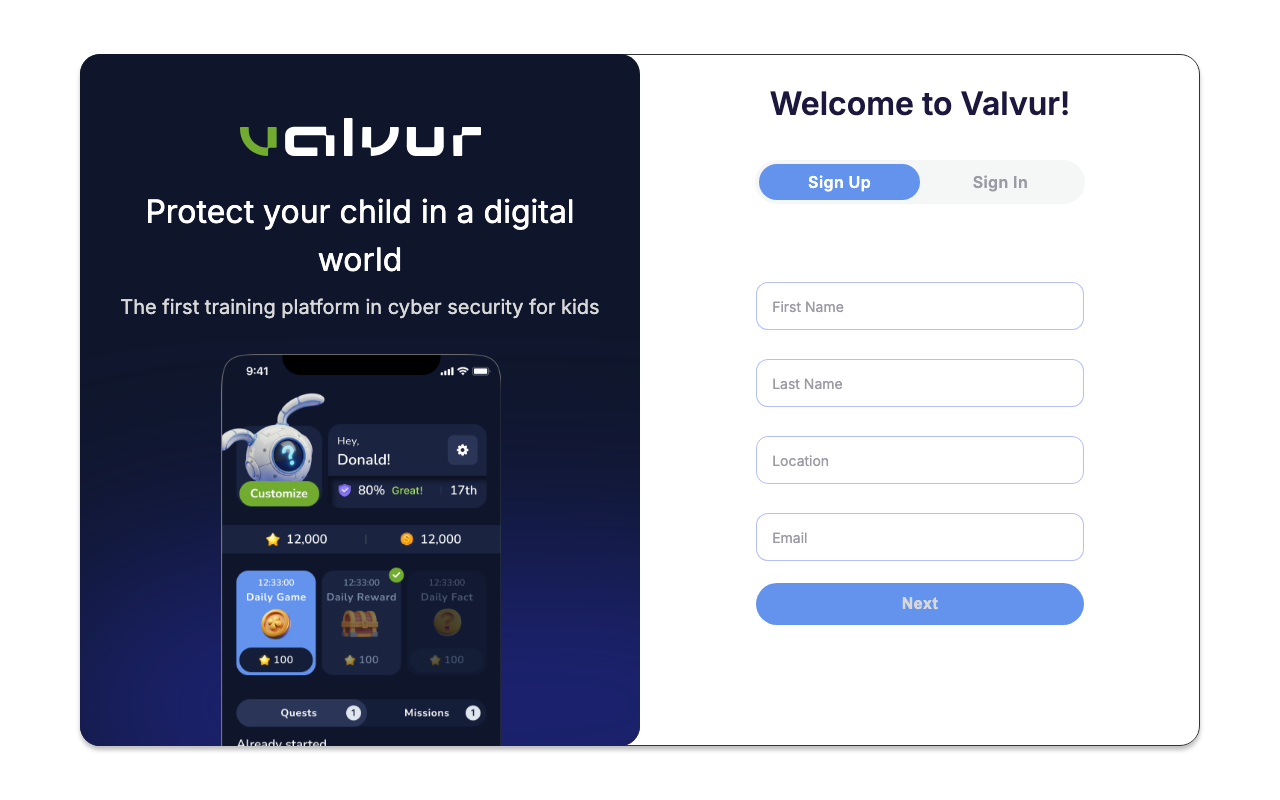
- Does it feel clear where to begin?
- Are the first steps easy?
- Does it feel trustworthy?
- Is there too much or too little info?
- Did anything trip you up?
Connect the two sides of the product
Try linking the parent side with the kids' app.
hub
app
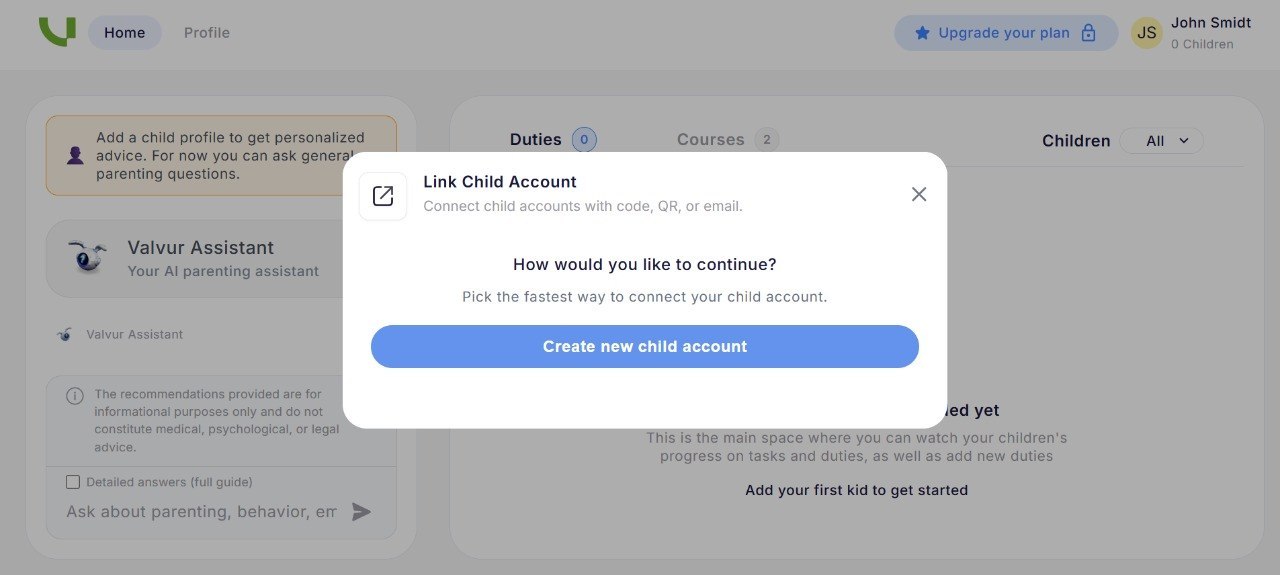
- Is it obvious what you need to do?
- Does it feel clear why this connection matters?
- Are there enough explanations on screen?
About emails (test-version quirk)
If your child doesn't have their own email, you can use yours when signing them up. Just keep in mind:
If you have multiple kids, add a separate email for each one. That could be:
- the child's own email, if they have one;
- the other parent's or another adult's email;
- an extra email you create just for testing.
We're already working on making it easier to add multiple kids without needing separate emails.
Get a feel for Valvur
Try to figure out on your own:
Try the main features
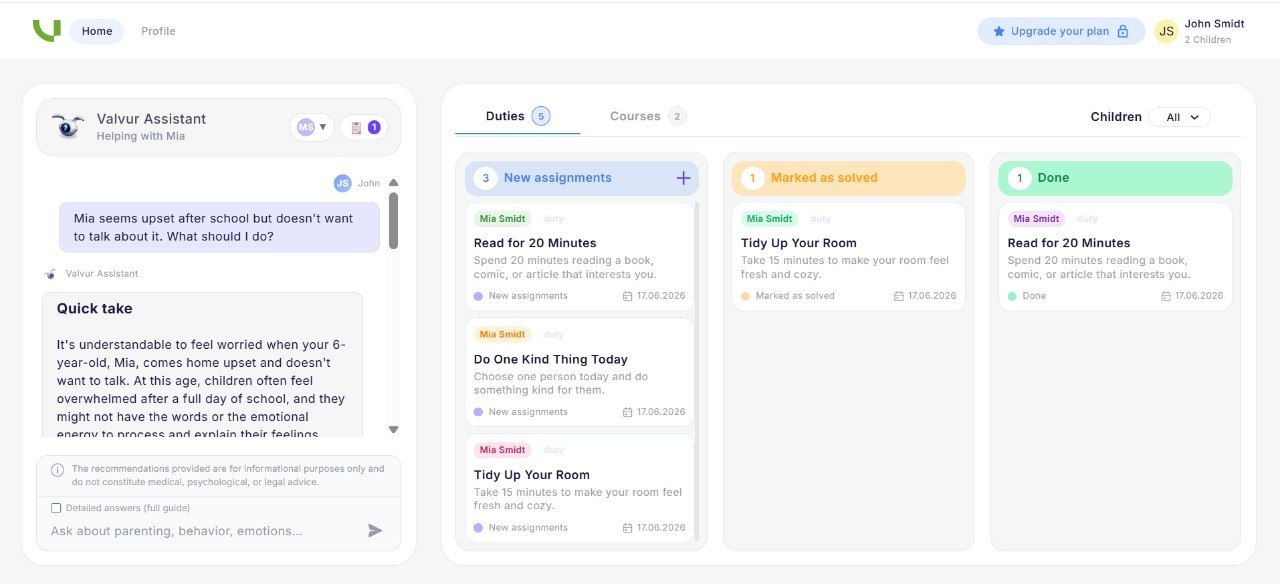
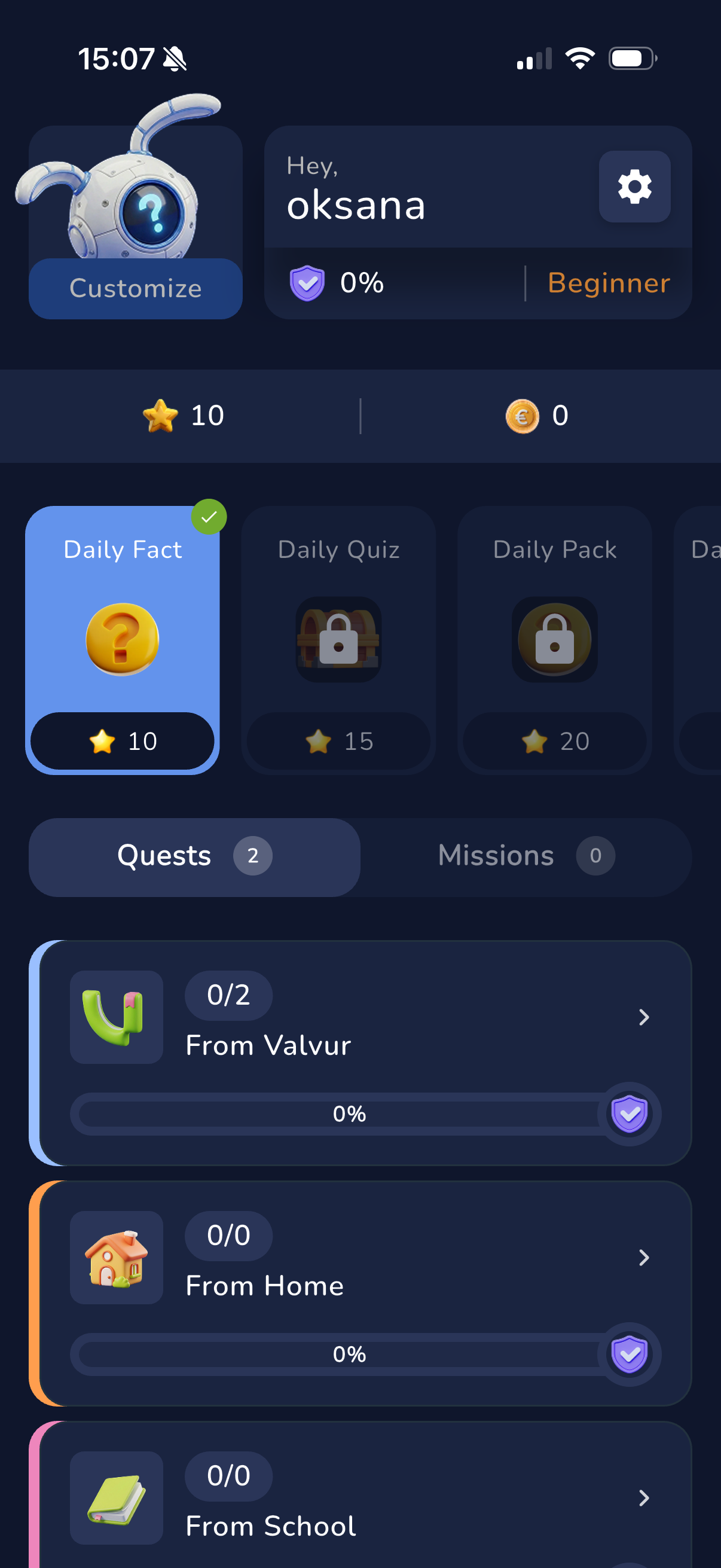
Use Valvur however feels natural to you. Here's what to explore on each side:
In Family hub
In the kids' app
🧒 If a child is doing the testing
Watch how they react naturally: what they understand on their own, what grabs their attention, where they get bored or stuck, and where they need help.
Don't jump in with hints right away if they pause — but don't push if they're bored, uncomfortable, or don't want to keep going. Just make a note of where that happened.
What to pay attention to
Feel free to jot down quick notes as you go. They don't need to be polished — just your own words. It's especially useful to capture:
😕 Friction moments
- where something was confusing;
- where something wasn't explained enough;
- where you had doubts;
- where you felt like closing the app;
- what felt unnecessary or unclear.
✨ Good moments
- where you got genuinely interested;
- which feature seemed actually useful;
- a moment when you really "got" the value;
- when something clicked, felt calm, interesting, or just nice.

Does it feel safe? That matters to us.
Since Valvur touches on your child and family life, it's really important for us to know whether it feels trustworthy.
Don't go looking for problems on purpose. Just notice if, at any point, you feel calm and confident — or if something gives you pause or feels a bit off.

After you're done
Once you've had a look around, fill out the feedback form. Answer based on what you actually experienced: what you saw, understood, felt, or couldn't manage to do.
Even a small observation can help us improve things — rewrite a confusing line, cut an unnecessary step, tweak a screen, or make the whole experience feel smoother and clearer. You don't need to fill out this page — it's just here to guide you during the session.